Cycle Planning Without Scrum Theater for Weekly Shipping in a Linear Workflow
By Taylor
A practical weekly cycle planning playbook for linear workflows that reduces Scrum ceremony and helps teams ship reliably.
Cycle planning without Scrum theater
Weekly shipping doesn’t require daily standups, story point debates, or sprint ceremonies that turn into status theater. It requires a visible workflow, a predictable cadence, and a lightweight way to choose what matters this week—then finish it. If your team likes the clarity of sprints but dislikes the overhead, a linear workflow with weekly cycles can give you the same rhythm with fewer meetings and less process glue.
This playbook lays out a practical way to plan, execute, and ship every week using a simple flow: clarify priorities, pull a small set of work, protect focus, and close the loop with a short review. Tools help, but the real shift is treating planning as a 30–45 minute decision-making session—not a ritual.
Start with the outcome you can ship in five days
Weekly cycles work when the goal is concrete. “Move onboarding forward” is fuzzy; “Ship email verification + resend link” is plan-able and test-able. Before you pick issues, define the week’s shippable outcome in one sentence. It should be:
- User-visible (or at least deployable behind a flag)
- Small enough to finish with room for bugs and reviews
- Easy to verify with a quick QA checklist
Teams often fail at weekly shipping because they plan “a week of activity” instead of “a week ending in a release.” Put the release at the center and let the work orbit it.
Use a simple, explicit workflow
You don’t need many statuses, but you do need consistent meaning. A clean linear workflow typically includes:
- Triage: new requests, bugs, and feedback waiting for a first pass
- Backlog: validated, shaped items that are candidates for a future week
- Planned: the week’s committed set (small and protected)
- In progress: actively being worked on
- In review: code review, QA, or stakeholder check
- Done: merged, deployed, or ready to deploy
The main rule: statuses should reflect state, not effort. “90% done” isn’t a state. “In review” is.
This is where a tool like linear.app fits naturally: its opinionated, fast interface and structured workflow make it easy to keep work moving without turning the tracker into a second job. The goal isn’t more tracking—it’s fewer surprises.
Weekly planning in 30–45 minutes
1) Triage quickly so planning stays clean
Weekly planning becomes painful when triage is neglected. Keep triage lightweight: confirm the problem, add a sentence of context, and decide one of three outcomes—discard, backlog, or schedule a quick “shape” pass.
If your team struggles with decisions getting lost, you’ll benefit from a short habit that captures decisions and next steps immediately. A related workflow is covered in Close the Meeting Memory Gap With a 5-Minute Workflow for Decisions Tasks and CRM Updates.
2) Shape work into week-sized slices
Before an item can enter the weekly plan, make sure it has:
- Clear acceptance criteria (what “done” means)
- Known dependencies (or a plan to remove them)
- A reasonable scope (something you can finish without heroics)
If something is too big, split by delivery value, not by internal tasks. For example: ship “read-only UI” first, then “edit,” then “bulk actions.” Each slice should be independently releasable.
3) Commit to a small set and protect it
In weekly cycles, commitment must be real. The simplest planning method is to set a strict WIP-friendly capacity:
- Each engineer pulls 1–2 primary issues for the week
- Add 1 small “buffer” issue only if it’s truly optional
- Keep bugs separate: either reserve a small bug budget or maintain an on-call rotation
Skip story points if they cause debate. If you need forecasting, use a lighter signal like “S/M/L” plus a rule: only a limited number of “L” items can be planned in one week.
4) Define “stop the line” rules for mid-week changes
Weekly shipping dies when priorities reshuffle daily. You don’t need rigidity, but you do need a policy. A practical rule set:
- New work enters next week by default.
- Exceptions require a clear trade: what gets removed from this week?
- Emergency bugs are allowed, but must be labeled and reviewed after the week ends.
This keeps the plan stable while still allowing real-world responsiveness.
Execution habits that keep the flow moving
Keep WIP low and reviews fast
For weekly cycles, long-lived branches and slow reviews are the silent killer. Set team norms:
- Prefer smaller pull requests that can be reviewed within a day
- Use explicit “ready for review” signals in the tracker
- Time-box review blocks (e.g., two 30-minute windows daily)
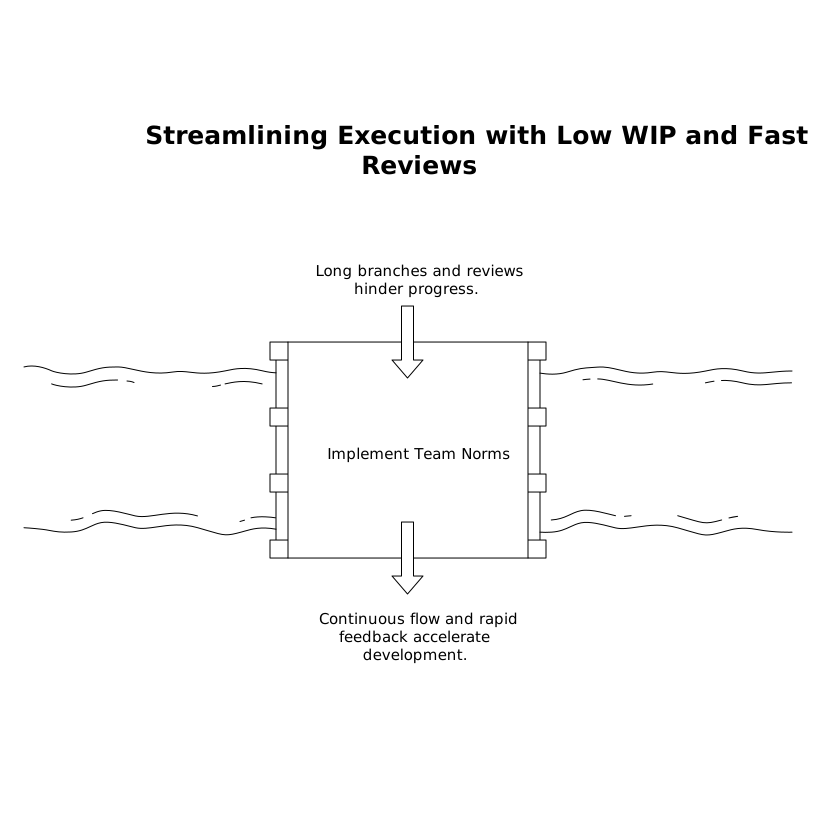
Also: treat “In review” as active work. If the reviewer is overloaded, the team is overloaded.
Make the cycle visible without standups
Many teams keep daily standups because they fear losing alignment. You can replace the meeting with a lightweight async check-in tied to the workflow:
- Each person posts: what moved to “In review/Done,” what’s blocked, and what they’ll do next
- Blocks must be written as a question or request (so someone can act)
The tracker becomes the source of truth, and updates become actionable, not performative.
End-of-week review in 20 minutes
Weekly shipping improves when you close the loop. The review is not a retro ceremony; it’s a quick operational debrief:
- What shipped? (link release notes, deploy, or flag enablement)
- What didn’t ship? (move back to backlog, split, or kill)
- What slowed us down? (review latency, unclear scope, dependencies)
- One change for next week (keep it small and testable)
The key is decisiveness. Work that rolls over week after week is usually too big, insufficiently shaped, or blocked by a dependency you haven’t confronted.
Common failure modes and how to avoid them
Planning too much “just in case”
If the plan includes everything you might do, you’ll finish nothing. Weekly cycles reward ruthless focus and a visible backlog you trust.
Tracking tasks instead of outcomes
A long checklist can look busy while hiding the truth: nothing is shippable. Re-slice work so each issue can be delivered independently.
Letting interrupts hijack the week
Interrupts will happen. The fix is not more meetings; it’s a change policy, a bug budget, and a habit of trading scope explicitly.
What “good” looks like after a month
After 4–6 weekly cycles, you should see predictable patterns: fewer “In progress” items at once, faster reviews, smaller issues, and a backlog that feels shaped rather than chaotic. Most importantly, stakeholders learn that the team ships on a cadence—so requests stop arriving as emergencies.
That’s the point of cycle planning without Scrum theater: not to reject structure, but to keep only the structure that makes shipping easier.
Vertical Video
Frequently Asked Questions
How can Linear help weekly cycle planning without heavy Scrum ceremonies?
Linear keeps a tight, consistent workflow (triage → planned → in progress → review → done) and makes it easy to run short weekly planning sessions focused on shippable outcomes instead of meetings.
What’s the best weekly cycle length to use in linear.app for a small team?
One week is a strong default for small teams because it forces small scope and quick feedback. In linear.app, keep the planned set small and protect it with a simple mid-week change policy.
Do we need story points if we manage work in Linear?
No. Many teams using Linear succeed with lightweight sizing (S/M/L) or strict WIP limits. The key is shaping work into week-sized slices with clear acceptance criteria.
How do you handle urgent bugs without breaking the weekly plan in Linear?
Use a bug budget or on-call approach and label true emergencies. In Linear, treat any mid-week addition as a trade: remove or split something already planned to keep the cycle realistic.
What replaces daily standups when using a Linear workflow?
A short async check-in tied to Linear status changes often works better: what moved to review/done, what’s blocked, and what’s next. This keeps alignment without standup theater.